The AccountManagementService provides a way for a visitor (a non logged-in user) to request a new account or to request a password reset. For any other account management task (e.g. modifying a user property) please use theorg.apache.jackrabbit.api.security.user.UserManager, based on the logged-in user session. The default implementation works as follows: – when a new account is requested, the account is created in the repository and the account is disabled. An email is sent to the user together with a link to confirm the operation. When the link is clicked, the request is validated and if valid the account is enabled. – when a password reset is requested, an email is sent to the user together with a link to confirm the operation. When the link is clicked, , the request is validated and if valid the password is reset and an email is sent to the user with the new password. Other implementations could look as follows: – when a new account is requested, an email is sent to the user together with a link to confirm the operation. The link contains an encrypted token with all the information about the account. When the link is clicked, the account is created. – when a new account is requested, a workflow is triggered. The workflow takes care of validating and creating the new account.
The AccountManagementService provides 2 methods:
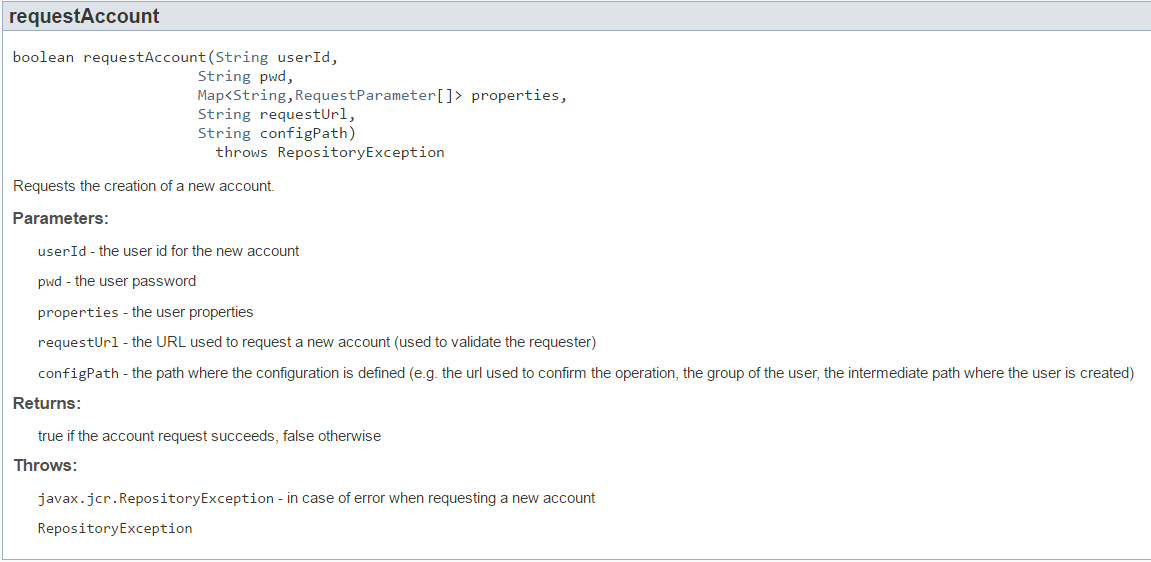
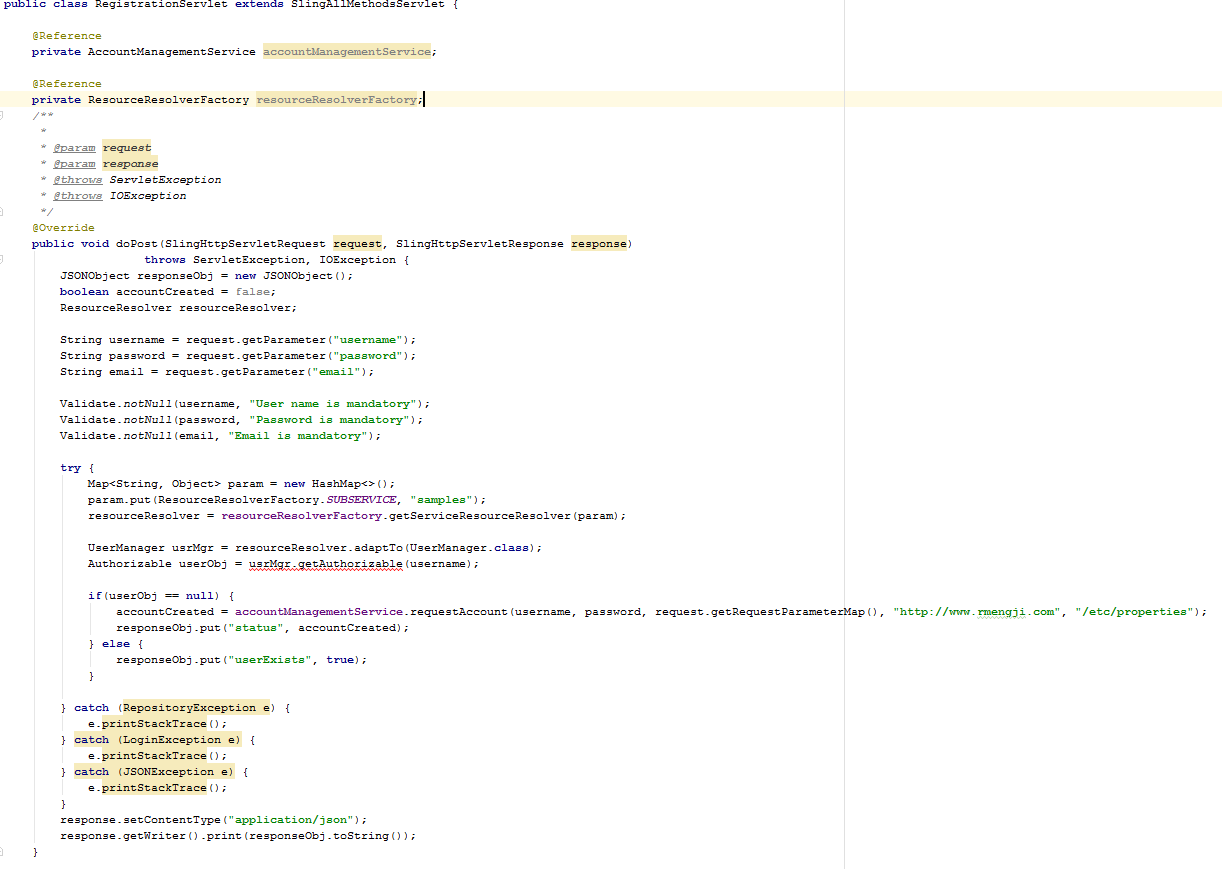
The requestAccount method will be used by registration process.
Example Registration Implementation:
Once you submit the registration form, you will get an email in the below format:

The link points to a confirmation page with “ky” as request parameter. You need to write a confirmation component which reads the “ky” request parameter and verify the key. Below is the sample code.
Confirmationmodule.html (Confirmation component)
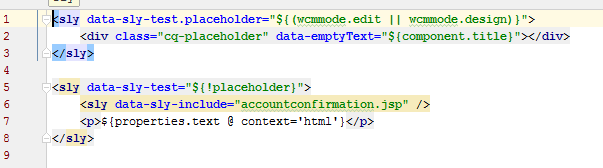
Line #6 includes a JSP. The JSP does the actual confirmation check. Here is the JSP:
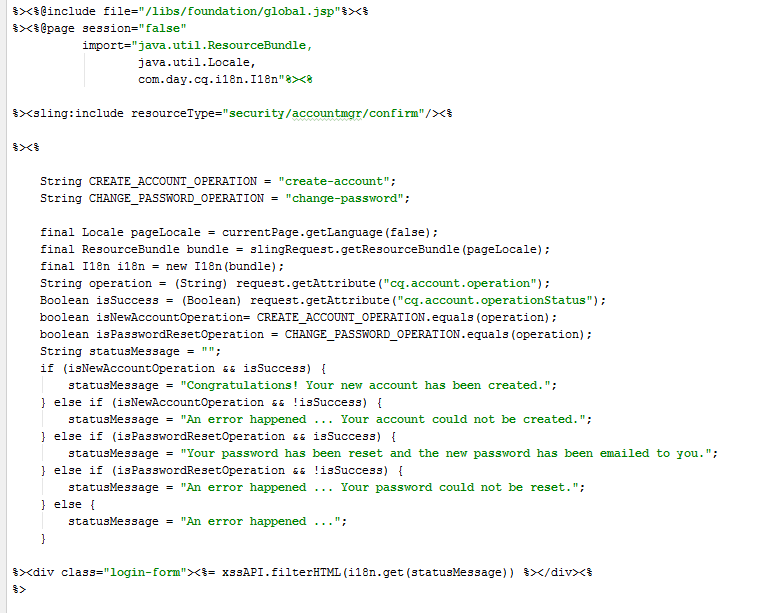
Based on the verification the JSP will display success or failure message accordingly.
Registration Done!
Now Password Reset method:
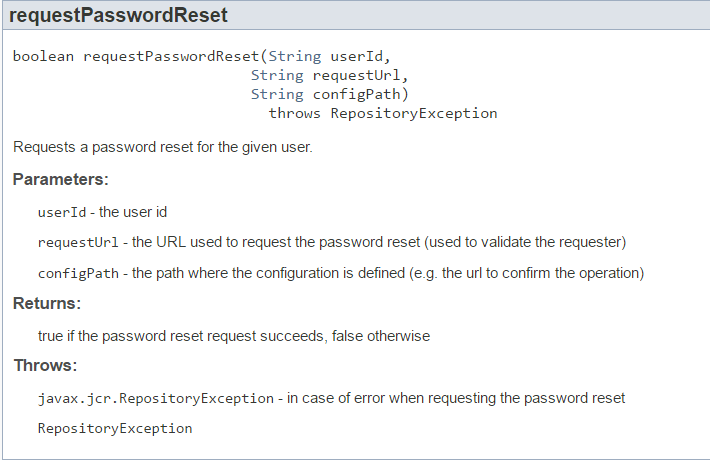
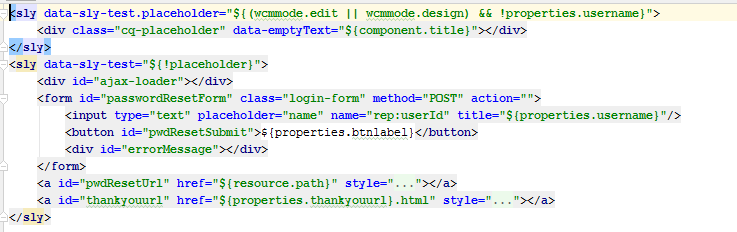
For requesting a password reset, the user needs to enter the user id, here is the sample html form:
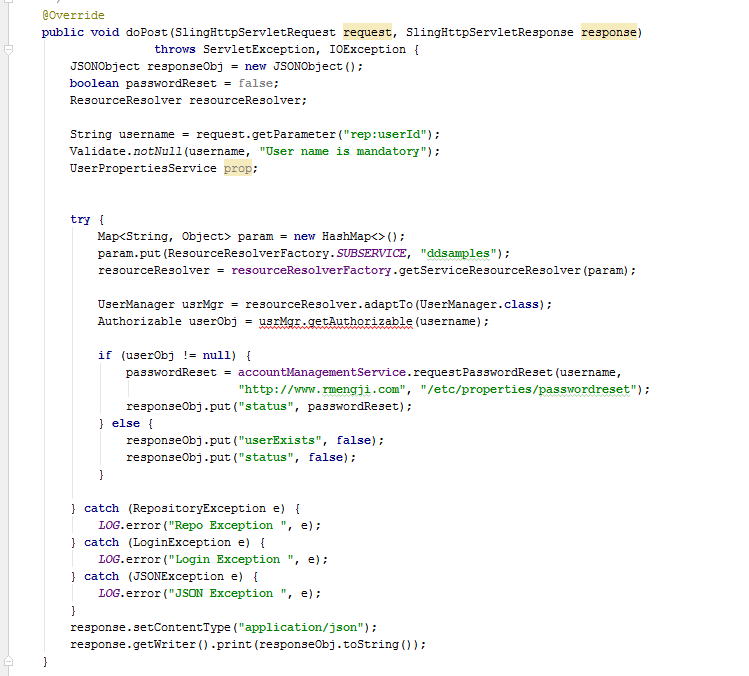
This html form submits the post request to below servlet:
Once user submits the user id, the user will get an email similar to the below:

When the user clicks on the link, it will be redirected to password confirmation page, where user need to enter the new password and confirm password. Example html below:
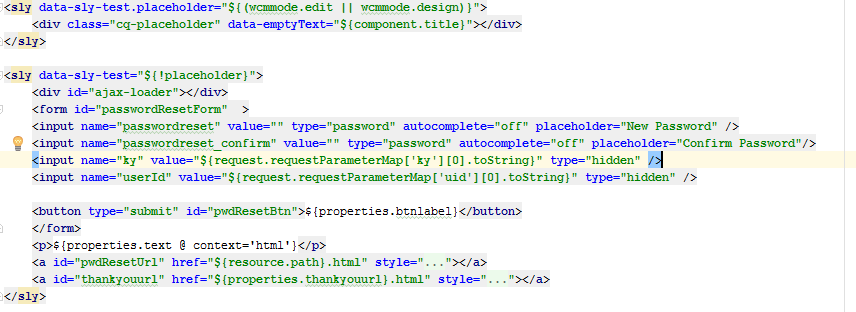
For submitting this form, create a POST.html in the component and include the accountconfirmation.jsp. Sample below:
POST.html
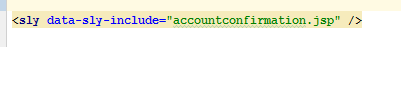
Accountconfirmation.jsp
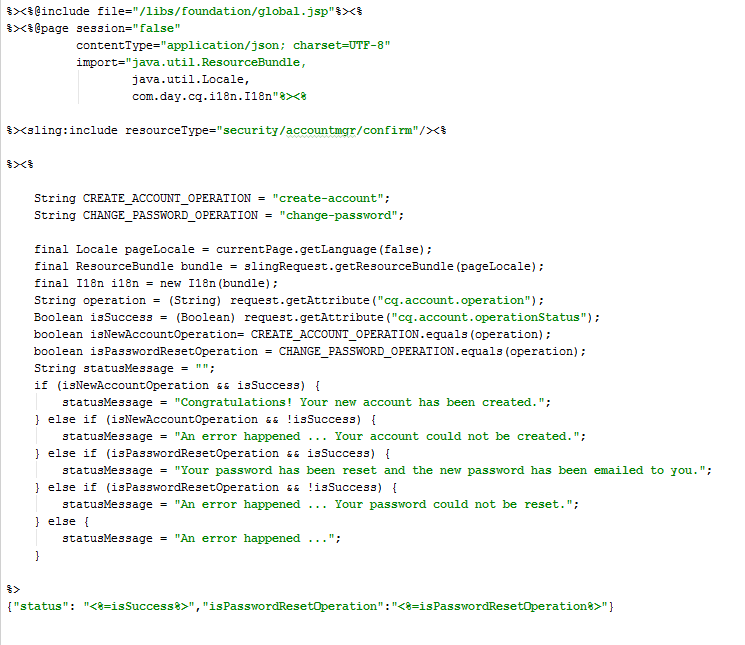
Based on the verification, the JSP will display Success or failure messages.
Will create a separate post for handling login, session management and permission sensitive caching.


 Rahul Mengji
Leave a reply to Pooja Cancel reply